

The fashion world is increasingly turning to AI technology to simplify the creative process. AI fashion sketch generators are becoming a go to tool for designers, illustrators, and artists looking to bring their visions to life with precision and ease. These tools use artificial intelligence to transform basic sketches into detailed, professional quality fashion illustrations. Whether you’re a seasoned designer or just passionate about fashion, these tools can help you create beautiful sketches effortlessly.
Fashion illustration plays a key role in design, giving a visual preview of ideas before they’re turned into actual garments. While traditional sketching can be time consuming and requires a certain level of skill, AI fashion sketch generators allow designers to produce high quality illustrations in much less time. This means they can dedicate more energy to the creative and innovative aspects of their work.
The Evolution of AI in Fashion Design
AI has made remarkable advancements in the fashion industry, not only in sketch generation but also in trend forecasting, virtual fitting, and fabric simulation. AI tools have become essential in reducing manual workload, allowing designers to experiment with new aesthetics and improve efficiency.
With AI, the fashion design process has become more inclusive, enabling aspiring designers without formal training to create impressive sketches. Additionally, AI is being integrated with augmented reality and virtual reality to create immersive experiences, allowing designers to see their sketches come to life in 3D environments.
Top 5 AI Fashion Sketch Generators for Artwork & Illustrations
1. Modelia
Modelia is a powerful AI fashion sketch generator designed to cater to fashion designers and illustrators. With its advanced AI algorithms, Modelia allows users to create detailed fashion sketches in seconds. The platform simplifies the design process by automating sketching while maintaining high-quality outputs.
Key Features:
- Powered AI fashion sketch generation based on user input
- Customization options for fabrics, colors, and textures
- Really easy to use interface for beginners and professionals
- Integration with design software for seamless workflow
Modelia is ideal for designers who want to generate quick fashion sketches without compromising on detail and style. The tool is particularly useful for concept development, helping designers experiment with different styles and colors before moving on to the final design.
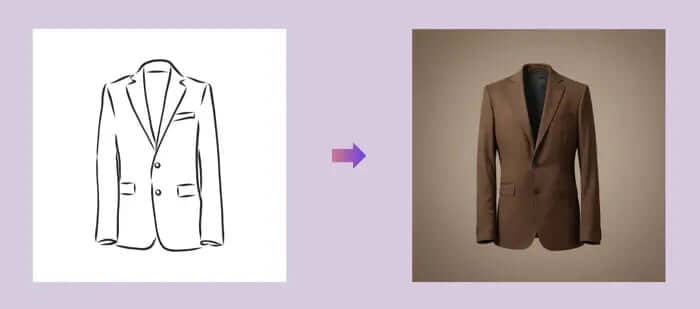
2. DeepDream Generator
DeepDream Generator utilizes deep learning to create artistic and unique fashion sketches. Originally developed for image processing and artistic enhancements, this AI tool has found a place in the fashion industry as an effective sketch generator.
Key Features:
- Uses neural networks to enhance sketches
- Provides various artistic styles and filters
- Generates high quality fashion illustrations with the AI creativity
- Suitable for digital artists and fashion designers alike
DeepDream Generator stands out for its ability to transform simple sketches into stylized fashion illustrations, making it an excellent choice for those looking to experiment with creative and abstract design elements.
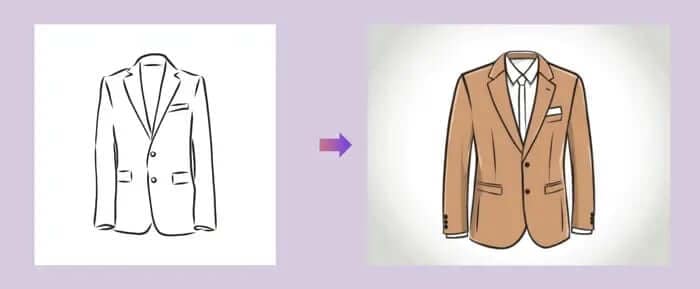
3. Artbreeder
Artbreeder is an AI-powered platform that allows users to blend and modify fashion sketches by adjusting design parameters. This tool provides an innovative way for designers to experiment with various styles and create unique fashion illustrations.
Key Features:
- AI-driven modification of sketches
- Intuitive interface for seamless sketch blending
- Allows collaboration and sharing of designs
- Great for exploring new fashion concepts
Artbreeder is particularly useful for designers who wish to refine their ideas before finalizing them. By using its AI approach, users can adjust design elements with ease, leading to creative and original fashion concepts.
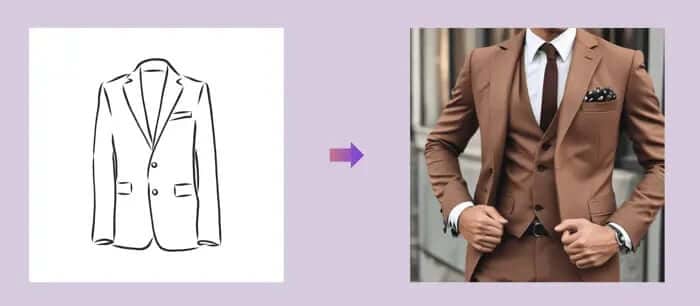
4. Runway ML
Runway ML offers an creative toolkit for designers based in AI, including a fashion sketch generator. It provides deep learning models that help create highly detailed and customizable fashion illustrations.
Key Features:
- AI generated fashion sketches with high realism
- Supports video and animation, based illustrations
- Offers an intuitive user experience for designers
- Great for experimenting with avant garde designs
Runway ML is an ideal choice for designers looking to push the boundaries of fashion illustration. It not only supports static sketches but also enables the creation of moving designs, making it highly versatile for futuristic and digital fashion projects.
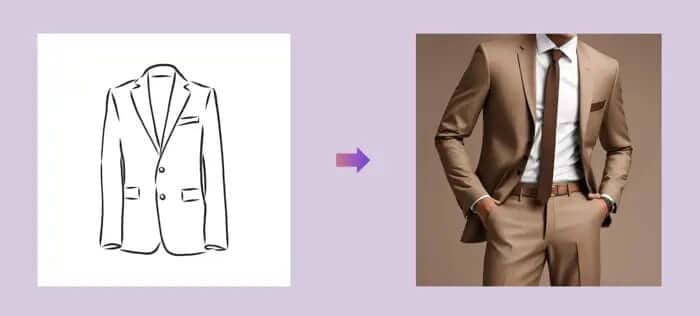
5. Fotor AI Sketch Generator
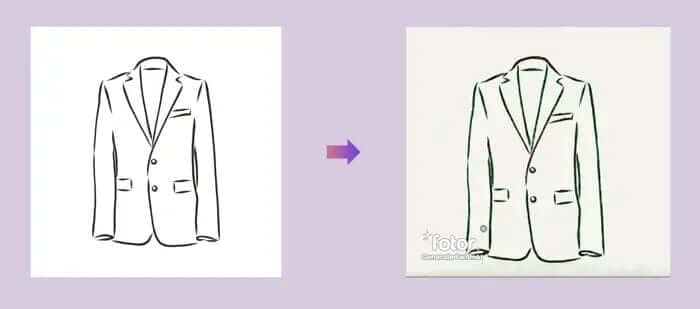
Fotor’s AI Fashion Sketch Generator transforms basic outlines into intricate fashion illustrations. This tool is ideal for designers looking to convert their rough sketches into polished artwork with minimal effort.
Key Features:
- Converts rough outlines into professional-grade sketches
- Customizable shading, textures, and colors
- Simple and user friendly interface
- Ideal for both beginners and professionals
Fotor is particularly beneficial for designers who want to refine their hand drawn sketches. Its AI engine enhances the details, ensuring that each sketch maintains a professional and artistic appeal.
The Impact of AI on Sustainable Fashion
Beyond sketching, AI is also playing a significant role in promoting sustainability in fashion. AI design tools help reduce fabric waste by enabling precise pattern making and virtual prototyping. Additionally, AI can analyze consumer trends, allowing designers to create demand-driven collections, reducing overproduction.
Many AI platforms now support ethical fashion by optimizing material selection and suggesting sustainable alternatives. This intersection of AI and sustainability is reshaping the industry by minimizing environmental impact while maximizing creative potential.
The Ultimate User Guide to Virtual Try-On Features: How to Get the Best Experience
Virtual try-on technology is transforming online shopping, letting you see how clothes, accessories, shoes, or makeup look before you buy. But to get the most out of it, there are tips and tricks that can enhance your experience. This guide will help you navigate virtual try-on tools like a pro.
What is Virtual Try-On?
Virtual try-on combines augmented reality (AR), artificial intelligence (AI), and sometimes 3D modeling to simulate products on a user. Whether it’s trying on a pair of glasses, a jacket, or a lipstick shade, virtual try-on creates a realistic preview without the need to visit a physical store.
How to Get Started
Choose the Right Platform
Not all virtual try-on tools are created equal. Look for platforms that support high-quality 3D models, accurate sizing, and realistic textures. Many fashion and beauty brands now integrate these features directly into their apps or websites.Provide Accurate Information
For clothing or shoes, entering your correct measurements ensures the virtual fit is realistic. For accessories like glasses or jewelry, provide your face shape or hand size if the tool allows.Use Proper Lighting
When using a live camera try-on, natural or well-lit rooms give more accurate previews of colors and textures. Avoid dark or overly bright environments.Experiment with Styles and Colors
Don’t hesitate to try multiple styles, sizes, and colors. Virtual try-on allows risk-free experimentation, helping you discover options you might not have considered.Rotate and Zoom
Take advantage of interactive features like rotation and zoom. Viewing items from multiple angles ensures you understand how they look in motion and from different perspectives.Compare with Real Products
Some platforms allow side-by-side comparisons or AR overlays on your existing wardrobe. This helps visualize how new items complement what you already own.
Tips for a Better Experience
Use the Latest App Version: Updates often improve accuracy, performance, and new features.
Check Reviews and Demos: Some tools offer sample try-ons or reviews that show real-life results.
Take Screenshots: Save your favorite looks for future reference or to share with friends before buying.
Combine with Size Recommendations: Some platforms pair virtual try-on with AI size suggestions for the best fit.
Benefits of Virtual Try-On
Confidence in Your Purchases: Reduce uncertainty about fit and style.
Saves Time and Hassle: No need for multiple store visits or returns.
Personalized Shopping: Try colors, styles, and accessories tailored to your preferences.
Eco-Friendly: Reduces returns and shipping waste, benefiting the environment.
Conclusion
AI fashion sketch generators are transforming the way designers create artwork and illustrations. Whether you're looking for intricate fashion designs or quick concept sketches, these tools offer immense value. By using AI tools, designers can experiment with styles, save time, and bring their ideas to life more efficiently than ever before.
Among these platforms, Modelia stands out due to its focus on fashion design, providing users with tailored features that cater to their needs. Meanwhile, tools like DeepDream Generator and Artbreeder offer artistic flexibility, allowing designers to explore new creative avenues. Runway ML and Fotor further expand possibilities by integrating advanced AI features into the fashion illustration process.
As AI technology continues to evolve, we can expect even more sophisticated fashion sketch generators to emerge, further enhancing creativity and efficiency in the industry. Embracing these tools will allow designers to stay ahead in the competitive fashion world while maintaining high standards of artistry and innovation.
From sketching to sustainability, AI is not just an accessory in fashion, it’s a revolutionary force shaping the future of design.
TAKE ONE STEP TOWARD revolutionising your apparel brand with Modelia. Explore all AI solutions now and elevate your e-commerce strategy to new heights!
FAQ: AI fashion sketch generator
1. What is an AI fashion sketch generator?
An AI fashion sketch generator is a digital tool that uses artificial intelligence to create clothing sketches automatically. Designers can input text prompts or reference images, and the AI produces fashion illustrations, technical sketches, or concept designs in seconds.
2. How do AI fashion sketch generators work?
These tools use machine learning and image generation models trained on thousands of fashion designs. When you describe a style—such as “boho summer dress” or “streetwear jacket”—the AI analyzes your input and generates a detailed fashion sketch matching your concept.
3. Are there free AI tools for generating fashion sketches?
Yes. Platforms like Modelia, Fotor AI Sketch, Hugging Face Diffusion models, and DeepFashion offer free or trial versions that let designers create basic sketches. Paid plans usually unlock higher-resolution exports and advanced customization options.
4. What are the benefits of using AI for fashion sketching?
AI sketch generators save time, boost creativity, and help visualize new ideas instantly. They’re useful for concept exploration, trend forecasting, and digital fashion design, especially for teams that want to accelerate their design-to-market process.
